
0
Assigning User/Access Management Roles to Groups
LogicNets comes with a standard user/access management package that you can use to assign administration privileges to users in different ways, allowing for the ongoing management of access of other LogicNets and client-content packages.
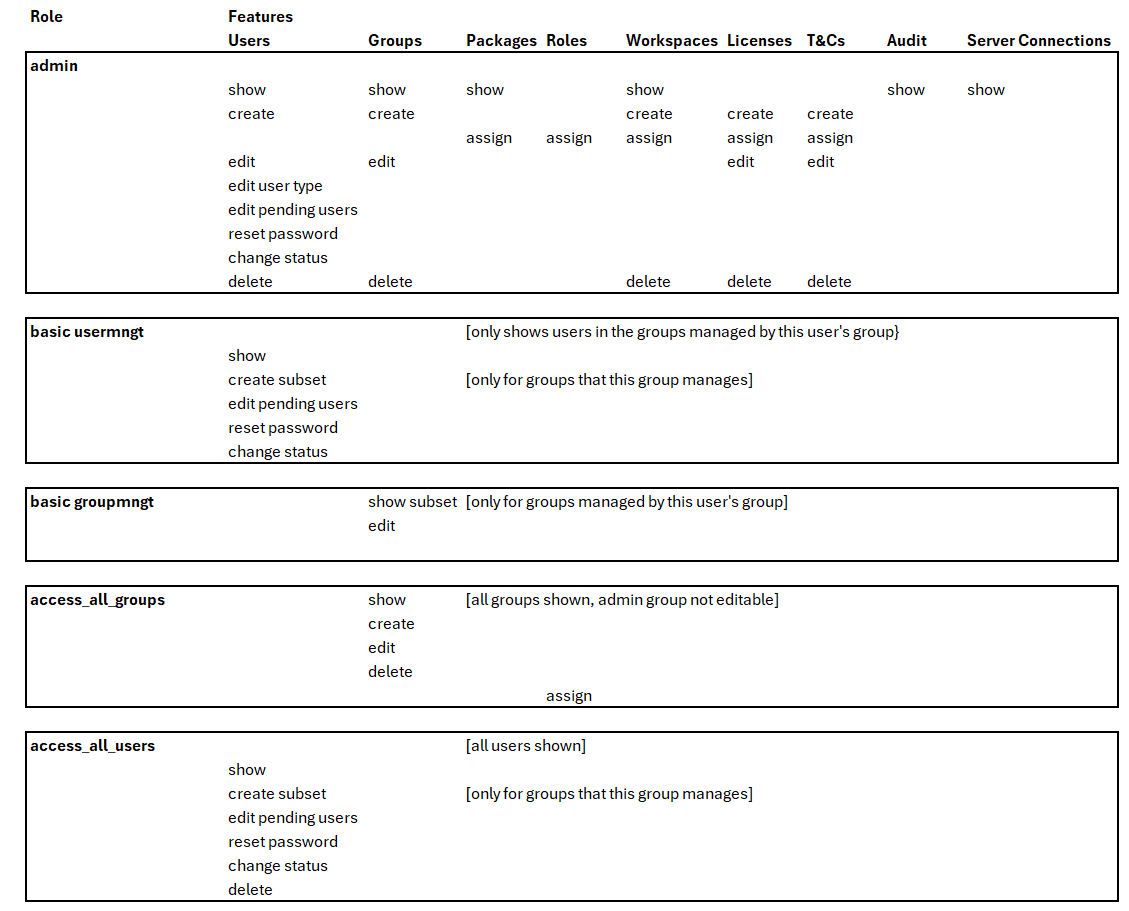
The table below shows user management functions and what roles need to be assigned to a group of administrators so they can access those functions. To give user management access to a particular group, go to the Access Management package on your LogicNets dashboard and do the following:
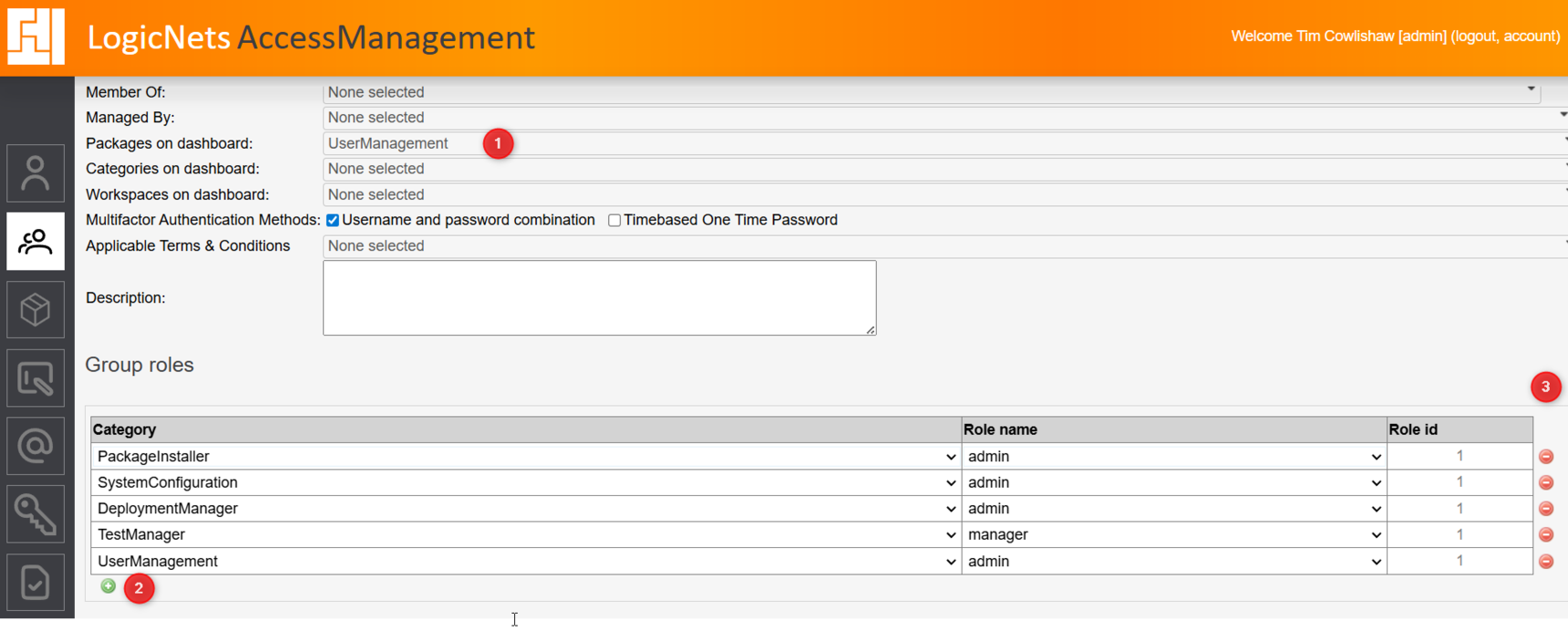
- From the Groups option in the navigation bar, select a group and click Modify. Go to the Packages on dashboard dropdown menu and select UserManagement.
- Go to the Group roles part of the page and assign a role by selecting UserManagement as the category and one of the required roles below. The table below identifies the rights allowed to each selected role.
For other framework packages with roles, see Assigning Framework LogicNets Packages to User Groups.
Reply
Content aside
- 1 yr agoLast active
- 21Views
-
2
Following