
0
Check for Later Revisions
In LogicNets v8.4+, you can check your deployment set to see if any packages have later revisions than the ones you have selected.
When viewing or modifying any configuration, click the Flag Later Revisions button.
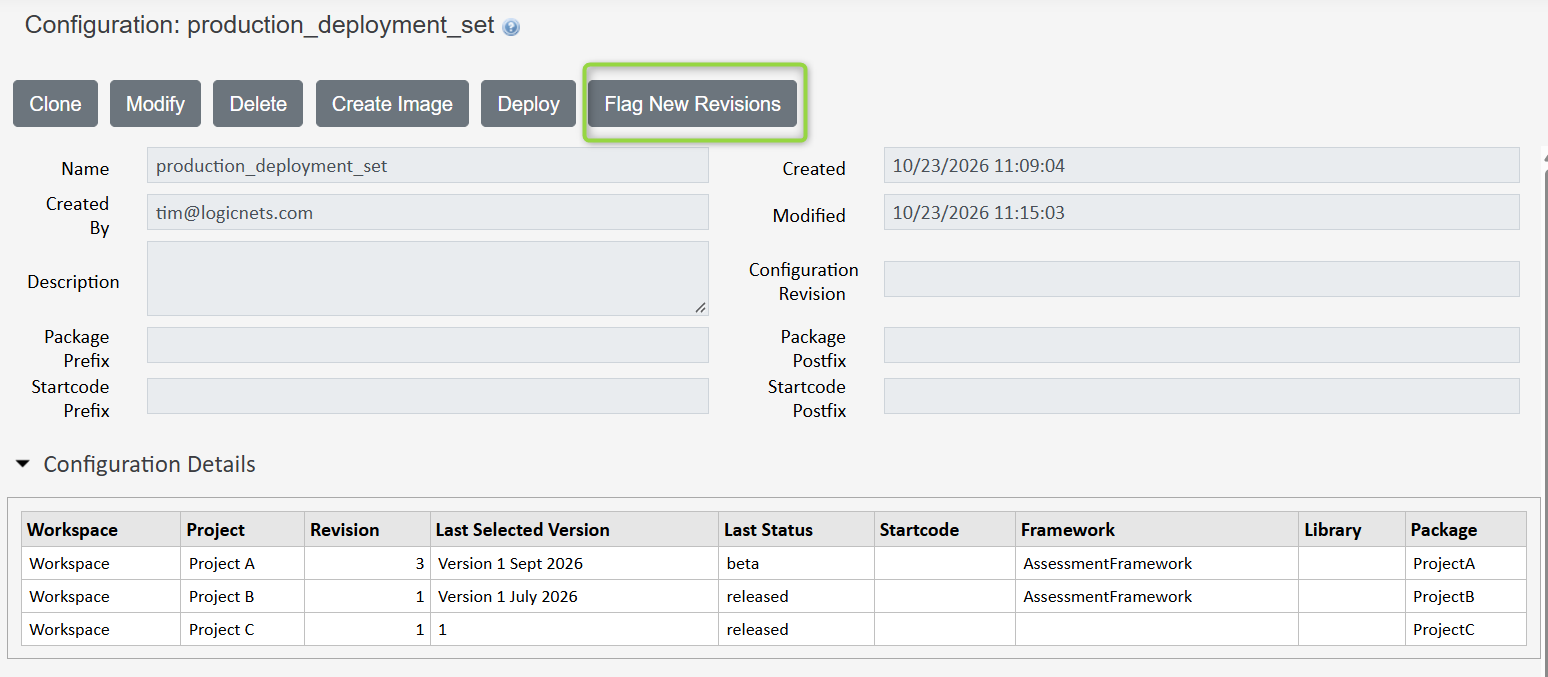
The system updates the Configuration Details grid and displays one of three icons for each package.


- This icon indicates that this is the latest version of the package. There is no reason to edit or update these packages.

- This indicates that there are later versions of the package with the SAME status as the current selected version (e.g. Project B above). Packages with this icon have a newer version with the same status ready to deploy.

- This indicates that there are later versions of the package with a different status than the current one (e.g. Project A). You should determine if you should update these packages.
When you update to v8.4 of the Deployment Manager from an earlier version, you should check and potentially edit and save any existing packages in configuration sets to update the internal values the system needs to determine and set status labels. If you do not do this, the system will flag package updates as not available (n/a).
Reply
Content aside
- 11 days agoLast active
- 6Views
-
2
Following