
0
Modify a Configuration
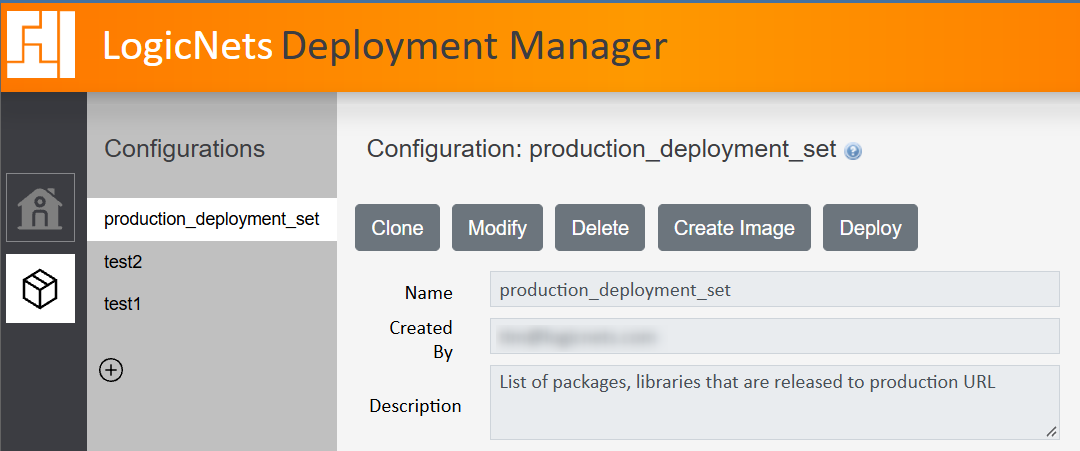
A configuration contains details of all the workspaces, projects, revisions, packages, and deployment images associated with that configuration. To modify an existing configuration, select the configuration and click Modify.
Change the description, prefix and postfix settings, and add or remove the projects in the configuration. The typical changes you might make to a configuration are listed below and correspond to the numbers in this image:
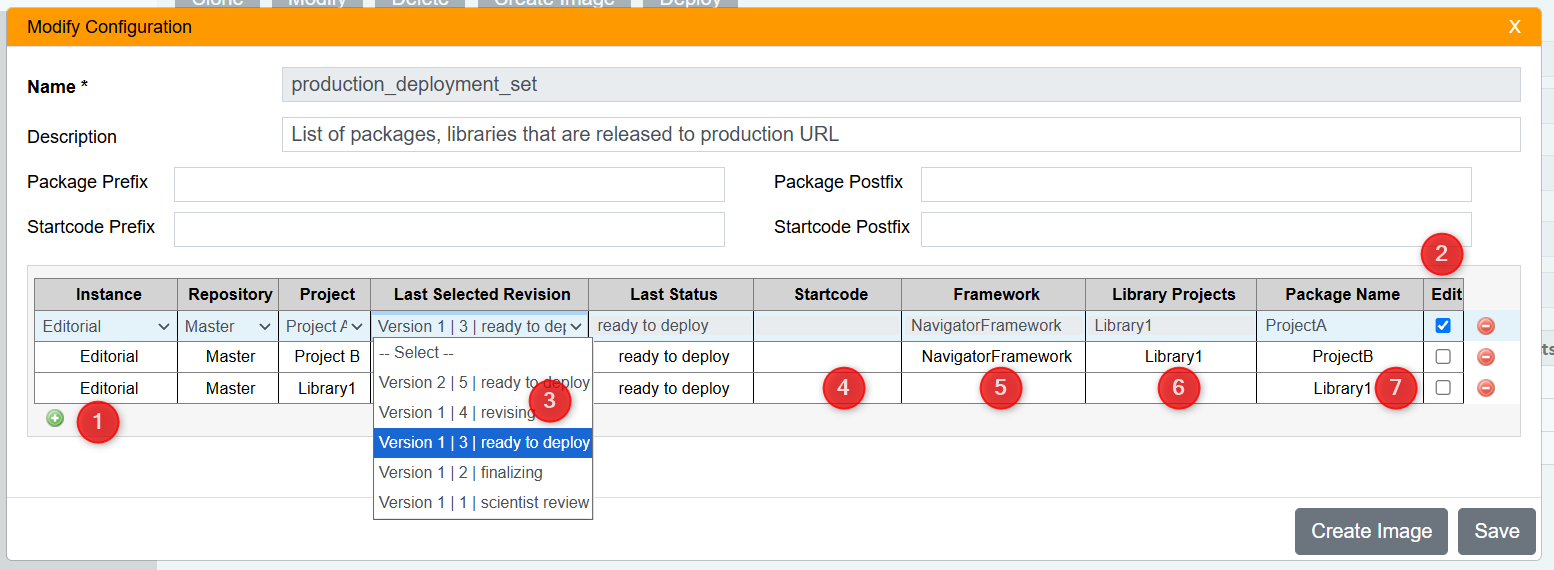
- Add a new project to the deployment set by clicking the green + icon and completing the selections.
- Edit an existing project by checking the Edit box
- Change the selected revision by using the Last Selected Revision dropdown menu. This displays the manual revision text ("Version 2"), the automatic revision number from the Designer check-in, and the check-in status. Note that you can customize the check-in status labels; see Customizing Revision Status in Version Control for more information.
- Change the startcode. The startcode associated with the project details displays in read-only mode. To change the startcode, open the project in the Designer and modify details.
- Change the framework. The project's associated framework displays here in read-only mode. To change the framework associated with the project, open the project in the Designer and modify details.
- Change associated library projects. Any library projects associated with the main project are listed here. To change them, open the project in the Designer and modify details.
- Edit the package name. The package name associated with the project is listed here and it is editable. The package name must be unique.
Once you have completed your edits, you can take one of the following actions:
- Click Save to save your changes and return to the configuration display.
- Click Create Image to continue to the next step of deployment.
- Click X in the top-right corner of the popup window to cancel your changes without saving them.
Once you finish modifying a configuration, the system displays the last modified date and the latest configuration version number, which it updates automatically.
Reply
Content aside
- 1 yr agoLast active
- 24Views
-
2
Following